
Executive Summary: Raspberry Pi vs Arduino at a Glance
The Fundamental Difference: SBC vs. Microcontroller
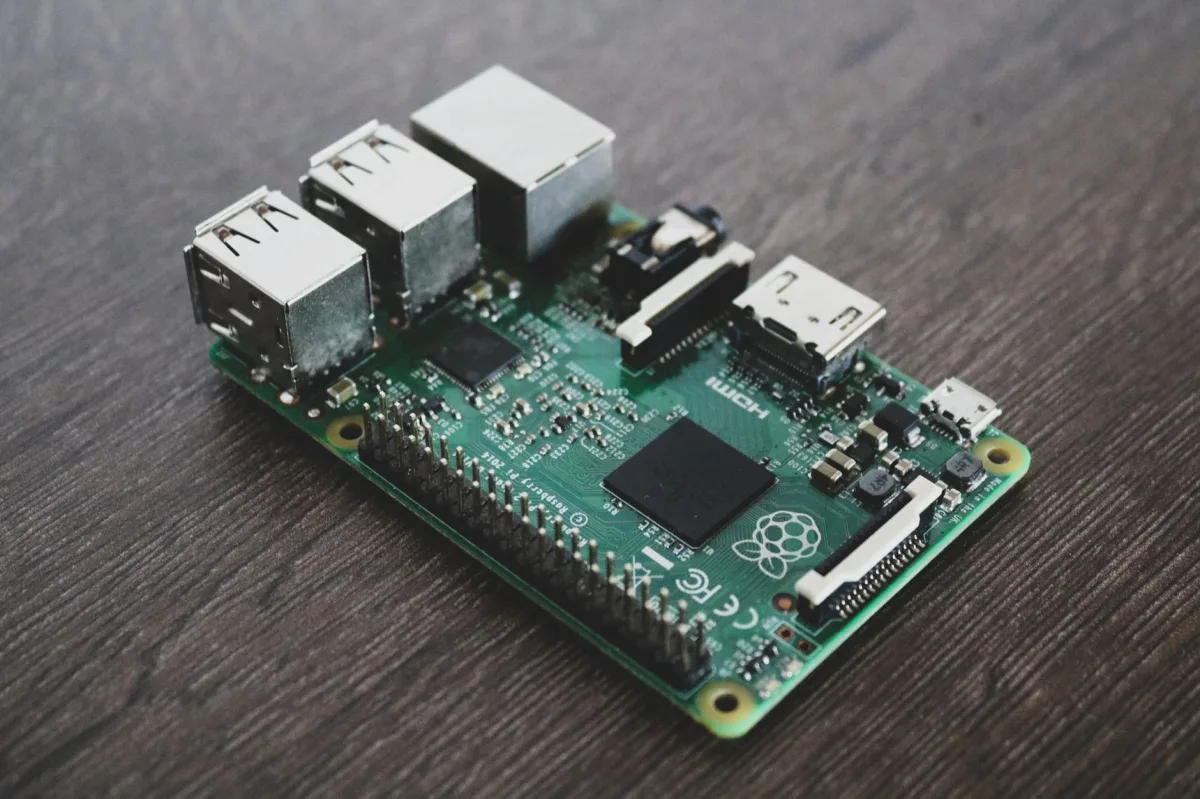
Raspberry Pi is a single‑board computer (SBC) that runs a full operating system, typically a Linux distribution. Arduino is a microcontroller platform that executes a single program directly on bare metal. This core distinction drives everything else: processing power, real‑time behavior, peripheral handling, and the learning curve.
Quick Comparison Matrix 2026
| Aspect | Raspberry Pi | Arduino | Winner |
|---|---|---|---|
| Core Architecture | Quad‑core Cortex‑A76 @ 2.4 GHz, 4‑8 GB RAM (Pi 5) | Cortex‑M4/M33 @ 48‑64 MHz, 256 KB‑1 MB RAM | Raspberry Pi |
| Connectivity (Wi‑Fi/Zigbee/Thread/Matter) | Native Wi‑Fi 6 & BT 5.0; Zigbee/Thread via HATs or USB dongles | Native Matter‑over‑Thread, BLE, and Wi‑Fi on Nano Matter/Portenta | Arduino |
| Power Consumption (Typical) | 5‑12 W (Pi 5), 0.5‑1 W (Pico 2 W) | 20‑200 mW, sleep < 5 µA | Arduino |
| Real‑Time Determinism | Linux (best‑effort, PREEMPT_RT optional) | Hard real‑time, microsecond jitter | Arduino |
| Sensor/GPIO Support | 40‑pin header (3.3 V), extensive HAT ecosystem | 14‑digital + 6‑analog pins (5 V tolerant on classic boards), shields & Grove | Tie |
| Edge AI Capability | AI Kit (Hailo‑8) – up to 26 TOPS, full‑frame vision, LLM inference | tinyML (TensorFlow Lite Micro) – keyword spotting, anomaly detection | Raspberry Pi |
| Price (2026 street) | Pi 5 4 GB ≈ $60; Pi Zero 2 W ≈ $15; Pico 2 W ≈ $7 | Uno R4 Wi‑Fi ≈ $28; Nano Matter ≈ $24 | Arduino (lower entry cost) |
What is Raspberry Pi? The Power of Single Board Computing
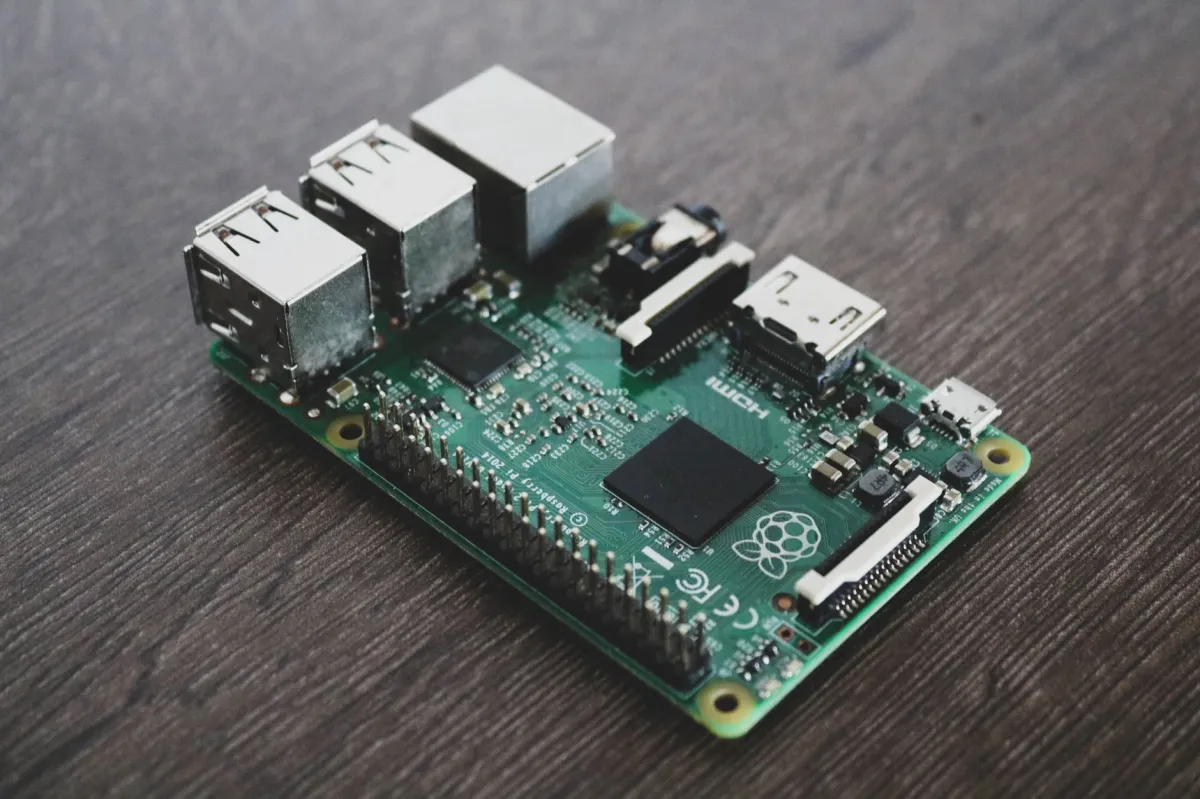
What is raspberry? Raspberry Pi is a family of credit‑card‑sized computers built around an ARM Cortex‑A series processor. Each board ships with HDMI, USB, Ethernet, and a 40‑pin GPIO header. The device boots a Linux‑based OS (Raspberry Pi OS, Ubuntu, Home Assistant OS, etc.) and can run containers, browsers, and full‑stack services.
Core Architecture and OS Capabilities
The Raspberry Pi 5 uses a Broadcom BCM2712 SoC: a quad‑core Cortex‑A76 at 2.4 GHz, a VideoCore VII GPU, and up to 8 GB LPDDR4X RAM. The OS runs in user space, giving access to filesystems, networking stacks, and hardware acceleration APIs. Developers can choose a lightweight distro for headless operation or a full desktop environment for media‑rich hubs.
Processing Power and Multitasking
Because it runs a full OS, the Pi can launch dozens of processes simultaneously: Home Assistant, MQTT broker, Node‑RED, a local LLM, and a camera feed. CPU affinity and cgroups let you isolate critical services, while Docker containers simplify deployment. This multitasking ability is a decisive advantage for complex smart‑home hubs that need to aggregate data, run AI inference, and serve a UI on the same hardware.
The Role of Raspberry Pi in Modern Smart Homes
In 2026 the Pi is the de‑facto platform for edge hubs. It hosts Home Assistant OS with built‑in add‑ons for Zigbee, Z‑Wave, and Thread via USB sticks. The Pi can run a local voice assistant (Rhasspy) and even host an OpenAI‑compatible LLM using the Hailo‑8 AI accelerator. Its HDMI output and touchscreen support make it ideal for wall‑mounted control panels.
What is Arduino? The Precision of Microcontrollers
What is arduino? Arduino is an open‑hardware ecosystem centered on microcontroller boards that execute a single sketch written in C/C++ (or MicroPython). Boards range from 8‑bit AVR chips (Uno) to 32‑bit ARM Cortex‑M series (Portenta, Nano Matter). The platform includes a simple IDE, extensive libraries, and a massive shield ecosystem.
The Basics of Bare‑Metal Programming
Arduino programs (sketches) consist of two mandatory functions: setup() and loop(). After flashing, the microcontroller starts executing setup() once, then repeats loop() indefinitely. There is no underlying OS, so timing is deterministic and startup is measured in milliseconds.
Real‑Time Execution and Hardware Control
Because the code runs directly on the MCU, there is no scheduler jitter unless you introduce an RTOS. Interrupt Service Routines (ISRs) can react to pin changes within microseconds, making Arduino the go‑to choice for motor control, precise PWM, and fast sensor sampling. The newer R4 series adds a Cortex‑M33 with TrustZone, improving security for Matter devices.
Arduino's Role in Embedded Systems
In a smart‑home context, Arduino excels as the endpoint node: battery‑powered door sensors, air‑quality monitors, or motorised blinds. The Nano Matter board provides native Matter‑over‑Thread, allowing a device to join the same Thread mesh as a Home Assistant hub without extra firmware. Its low power draw lets a single coin cell keep the board alive for months.
Head-to-Head Feature Comparison (2026 Edition)
Hardware Specs & Microcontroller Performance
The Pi 5’s A76 cores deliver desktop‑class throughput, enabling video decoding (4K@60 fps) and AI inference. Arduino’s Cortex‑M4/M33 cores are optimized for deterministic I/O, not raw compute. Choose the Pi when you need heavy data crunching; choose Arduino for tight control loops.
Wireless Protocols & Connectivity (Wi‑Fi 6, Matter, Zigbee)
Raspberry Pi 5 ships with Wi‑Fi 6 (802.11ax) and Bluetooth 5.0. Zigbee and Thread require external HATs or USB dongles—Dresden Elektronik ConBee II for Zigbee, or Home Assistant Connect ZBT‑1 for Thread. Arduino’s Nano Matter includes native Thread radio and BLE, fully certified for Matter out of the box. For projects that must ship with Matter compliance immediately, Arduino wins.
Power Consumption & Battery Efficiency
Pi 5 draws 5‑12 W under load, making mains power the norm. The Pico 2 W series reduces consumption to ~0.5 W, yet still orders of magnitude higher than an Arduino Uno R4 in sleep mode (µA). Battery‑operated sensors therefore favor Arduino.
Sensor Integration & GPIO Setup
Both platforms expose 3.3 V GPIO, but the Pi’s 40‑pin header includes dedicated I²C, SPI, and UART pins with hardware pull‑up. Arduino shields (e.g., Grove, Qwiic) provide plug‑and‑play sensors, and many boards tolerate 5 V logic, simplifying integration with legacy modules.
Ecosystem, Libraries, and App Support
Raspberry Pi offers a Linux package manager, Docker, Python, Node‑RED, and a thriving community of tutorials. Arduino provides a lightweight IDE, a library manager, and cloud services like Arduino Cloud for OTA updates. Both ecosystems are robust; the choice hinges on whether you prefer a full OS environment or a minimal firmware stack.
Winner Callouts
Verdict: For raw processing power and multitasking, Raspberry Pi leads. For low‑power, real‑time, Matter‑ready devices, Arduino leads.
Pros and Cons Breakdown
Raspberry Pi: Advantages and Limitations
- High‑performance CPU and GPU for AI, video, and complex automation.
- Full Linux stack enables Docker, Kubernetes, and standard development tools.
- Broad peripheral ecosystem via HATs and USB.
- Higher power draw; requires active cooling under load.
- Real‑time guarantees are limited without extra kernel patches.
Arduino: Advantages and Limitations
- Micro‑ampere sleep currents enable months‑long battery operation.
- Deterministic real‑time behavior; ideal for motor control and precise timing.
- Native Matter‑over‑Thread on select boards simplifies smart‑home certification.
- Limited processing power; unsuitable for heavy AI or multimedia.
- No native OS; file handling and networking require additional libraries.
When to Choose Raspberry Pi vs Arduino: Use Case Scenarios
Scenario A: Complex Data Processing and Media Centers
Imagine a wall‑mounted Home Assistant hub that runs a local LLM for voice commands, streams video from a doorbell, and hosts a dashboard. The Pi 5 can run Home Assistant OS, an AI Kit for vision, and Docker containers for MQTT, all simultaneously. Sample docker-compose.yml for such a hub:
version: "3.8"
services:
 homeassistant:
 image: ghcr.io/home-assistant/home-assistant:stable
 restart: unless-stopped
 ports:
 - "8123:8123"
 volumes:
 - ./config:/config
 ollama:
 image: ollama/ollama
 restart: unless-stopped
 devices:
 - "/dev/dri:/dev/dri"
 environment:
 - OLLAMA_GPU=1
This setup leverages the Pi’s GPU acceleration and abundant RAM, something an Arduino cannot replicate.
Scenario B: Simple Automation and Low‑Power Sensors
A battery‑powered temperature sensor that reports to a Thread mesh fits perfectly on an Arduino Nano Matter. The sketch below reads a DS18B20 sensor and publishes to a Matter endpoint every five minutes, then enters deep sleep:
#include <Matter.h>
#include <OneWire.h>
#include <DallasTemperature.h>

#define ONE_WIRE_PIN 2
OneWire oneWire(ONE_WIRE_PIN);
DallasTemperature sensor(&oneWire);
MatterDevice device;

void setup() {
 sensor.begin();
 device.begin();
 device.addTemperatureSensor(0, []() {
 sensor.requestTemperatures();
 return sensor.getTempCByIndex(0);
 });
 device.publish();
}

void loop() {
 device.loop(); // Matter stack
 delay(300000); // 5 minutes
 LowPower.deepSleep(300000); // Sleep for 5 minutes
}
The board draws < 150 mW while active and < 5 µA in deep sleep, allowing a coin cell to last six months.
Scenario C: Hybrid Approaches (Using Both Together)
Many smart‑home installations combine a Pi hub with Arduino sensor nodes. The Pi aggregates data, runs AI, and provides a UI, while Arduinos handle low‑power edge tasks. Communication can be achieved via MQTT over Thread (Matter) or simple Serial over USB. Example of a Pi acting as an MQTT broker for Arduino nodes:
# On the Pi (Docker)
docker run -d --name mosquitto -p 1883:1883 eclipse-mosquitto

# Arduino sketch
#include <PubSubClient.h>
#include <WiFiNINA.h>

WiFiClient wifi;
PubSubClient client(wifi);

void setup() {
 WiFi.begin("SSID","PASS");
 while (!WiFi.connected()) delay(100);
 client.setServer("192.168.1.10",1883);
}

void loop() {
 if (!client.connected()) client.connect("arduino");
 client.publish("home/sensor/temperature","23.4");
 delay(60000);
}
This pattern leverages each platform’s strengths without forcing a single solution on the entire system.
Final Verdict: Which is Right for Your Project?
The Decision Framework
- Processing needs: Choose Raspberry Pi for AI, video, or multitasking.
- Power budget: Choose Arduino for battery‑operated or energy‑harvesting nodes.
- Real‑time requirement: Arduino provides hard real‑time control.
- Connectivity certification: Arduino offers native Matter‑over‑Thread.
- Development environment preference: Linux/Python vs. C/C++/MicroPython.
Summary Recommendation for 2026
If your project is a central hub that needs to run Home Assistant, process video streams, or host a local LLM, the Raspberry Pi 5 is the clear winner. If you are building battery‑powered sensors, actuators, or any device that must join a Matter Thread network with minimal power draw, the Arduino Nano Matter (or Uno R4 Wi‑Fi) is the optimal solution. In most modern smart‑home installations the two platforms complement each other rather than compete, delivering a balanced mix of power, flexibility, and efficiency.